Note: We Are Unable to Sell this Product to Dealers. Provantage is authorized to only sell this product to a final purchaser or licensee that has acquired it for their own use and not for resale, remarketing or distribution.
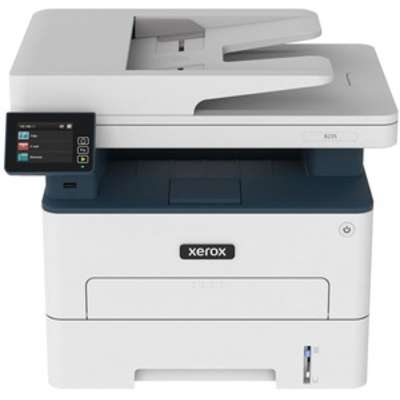
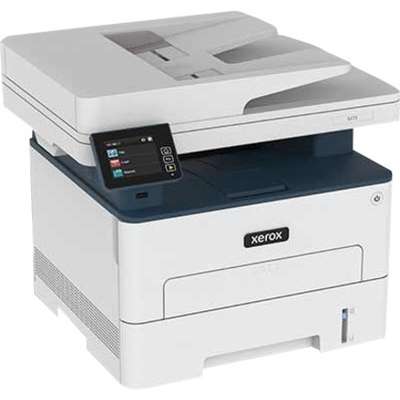
Xerox B235 Multifunction Printer is a versatile office printer capable of printing, copying, scanning, and faxing. It supports both letter and legal-sized documents.
The Xerox B235 Multifunction Printer is highly regarded for its multifunctionality and compact design. However, users sometimes mention the limited paper capacity and complex setup as drawbacks.
REASONS TO BUY
Multifunctionality - Offers printing, copying, scanning, and faxing capabilities
Compact design - Suitable for small office spaces
Easy maintenance - Simple to replace ink cartridges and perform routine maintenance
CONSIDERATIONS
Limited paper capacity - May require frequent paper refills
Complex setup - May require technical assistance for initial configuration
Xerox B235 Multifunction Printer, Print/Copy/Scan/ Fax, Up to 36 PPM, Letter/Legal, Usb/Ethernet And Wireless, 250-Sheet Tray, Automatic 2-Sided Printi
At a Glance
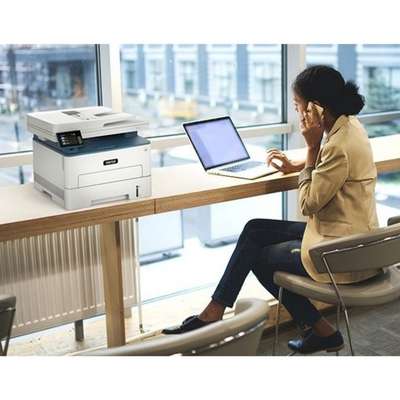
WORK FROM HOME: Perfect for small teams or home offices that need technology that fits in tight spaces and is easy to setup. The Xerox B235 is perfect for owners looking for a wireless black and white all-in-one printer.
RELIABLE PERFORMANCE: Black and white wireless printer, with print speeds up to 36 Letter pages per minute /34 A4 pages per minute, automatic two-sided printing, 250-sheet paper capacity and high-resolution image quality.
CONVENIENCE AND CONNECTIVITY: Built-in Wi-Fi and support for Apple AirPrint, Mopria Print Service and Chromebook printing the B235 is made for users that print from a wide range of mobile devices. And, simple installation without the need for local IT support means you are up and running right out of the box.
STAY SECURE: Comprehensive security features protect against rising and increasingly sophisticated cyber threats by safeguarding access and protecting sensitive data and documents.
INTUITIVE INTELLIGENCE: Simplicity drives productivity with Xerox® Print Drivers and the Xerox® Print & Scan Experience, take the guesswork out of complex tasks like auto straighten, receipt scanning and auto cropping images.
Overview
The Xerox B235 multifunction printer includes built-in Wifi with Wi-Fi Direct and is easy to set up with Xerox® Smart Start Software, so it is ready to work hard right out of the box. Print from your mobile devices with support for Apple AirPrint, Mopria Print Service and Chromebook printing. Designed for small businesses that need to print, copy, scan and fax. It includes features such as automatic 2-sided printing on letter and legal sized paper, a 50-sheet automatic document feeder, standard paper capacity of 250 sheets, a 1 GHz dual core processor with 512 MB of memory, and monthly print volume up to 2,500 pages, the B235 is a workhorse. Do more with optional Xerox Workflow Central, allowing you to convert documents into other languages, change handwriten messages into shareable text documents, create audio files of hardcopy to listen to on the go, automatically redact content, and convert scans into Microsoft Office Applications. And our Green World Alliance program offers hassle-free toner cartridge recycling.
Media Handling
Main tray: 216mm x 356mm
Manual feed slot: 216mm x 356mm
Media Type
Top View
Bond – Card Stock – Color Paper – Envelope – Glossy Paper – Heavy Paper – Letterhead – Light Paper – Paper Label – Plain Paper – Preprinted Paper – Recycled Paper – Rough Cotton
Media Size
Right View
Letter - 8.50" x 14" — Legal - 4.14" x 5.85" — Custom Size - 8.50" x 5" — A4 - 8.50" x 14.02" — Letter - 5.80" x 8.30" — A4 - 4.10" x 5.80" — JIS B5 - 4.13" x 5.83" — Officio - 4.13" x 5.83" — Statement - 8.50" x 5.50" — Executive - 10.50" x 7.25" — Folio - 8.27" x 13" — Hagaki Card — DL Envelope - 4.30" x 8.66" — C5 Envelope - 9" x 6.68" — B5 Envelope - 6.92" x 9.84" — Envelope No. 7 3/4 — Envelope No. 9 — Envelope No. 10
Wireless Print Technology
Left View
Apple AirPrint
Chromebook
Mopria Print Service
Wi-Fi Direct
Certifications & Standards
Front View
To view the latest list of certifications, go to www.xerox.com/ OfficeCertifications .
 9.0
9.0








 Shop with confidence! Provantage is an authorized Xerox dealer.