Automatically displays User Presence/Status/Availability.
Stepped Brightness Control
Central management with Enterprise Admin Console
Supports Microsoft Windows and Apple Mac operating systems
Supports number UC/Softphone and Call Center applications including Skype for Business, Microsoft Lync, Cisco Jabber, RingCentral and Cisco Finesse.
Overview
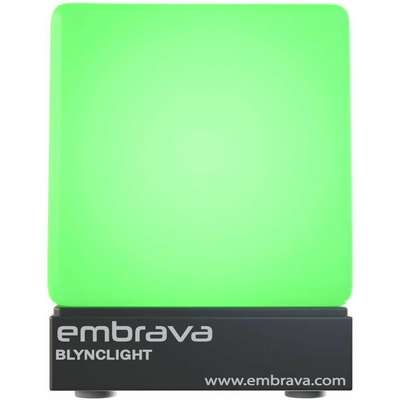
The Blynclight Standard is a productivity tool designed to allow a user to control their availability in a workplace. The device will alert colleagues when a user is on a call, busy with an assigned task or available to collaborate.
The Blynclight Standard automatically displays user presence/status by synchronizing with the users UC application (Skype for Business, Cisco Jabber, RingCentral etc.). As the users presence/status changes within the UC application so does the color of the Blynclight with the light color displayed matching that of users current presence/status.
By displaying user availability in this manner, a user can increase their productivity by limiting interruptions caused by colleagues in their work environment.
Features and benefits | Lighting
Display Surface: Cube design with matte finish allows the light to effectively display user visual alerts yet remain unobtrusive.
Full RGB LEDs: 5 LEDs using the RGB color model allows any color to be displayed on the device.
Brightness Control: 10 step brightness control allows the light to be set in any environment without being distracting.
Connection
Micro-USB: The device includes a 5ft black USB cable which plugs into a female Micro-USB port on the device. The device has been designed to allow the USB cable to be interchangeable to allow for environments that require a longer or shorter cable.
Deployment
Enterprise Admin Console: Management application that allows an administrator to develop a Blynclight configuration to be pushed out to all machines and prevent client machines from configuring their own devices.
Group Policy: Blynclight Plus configurations can be deployed across an organisation using Group Policy to ensure all devices are configured in a consistent manner.



 Shop with confidence! Provantage is an authorized Embrava dealer.